
Vanderwell Realty: Needs vs Wants - Finding Your First Home
Making Smart Choices in Your First Home Search is an interactive eLearning course designed to help first-time homebuyers identify and prioritize their needs vs. wants before beginning their home search.
Through scenario-based activities and guided decision-making, learners build confidence in making informed, budget-aligned choices.
Audience
First-time homebuyers
Adults new to the homebuying process
Individuals needing support with budgeting and prioritizing
Responsibilities
eLearning development, instructional design, storyboarding, visual design, mockups, action mapping, and prototyping.
Tools Used
Articulate Storyline 360, ChatGPT, Google Gemini, ElevenLab, Miro, Microsoft Word, Microsoft PowerPoint, and Canva
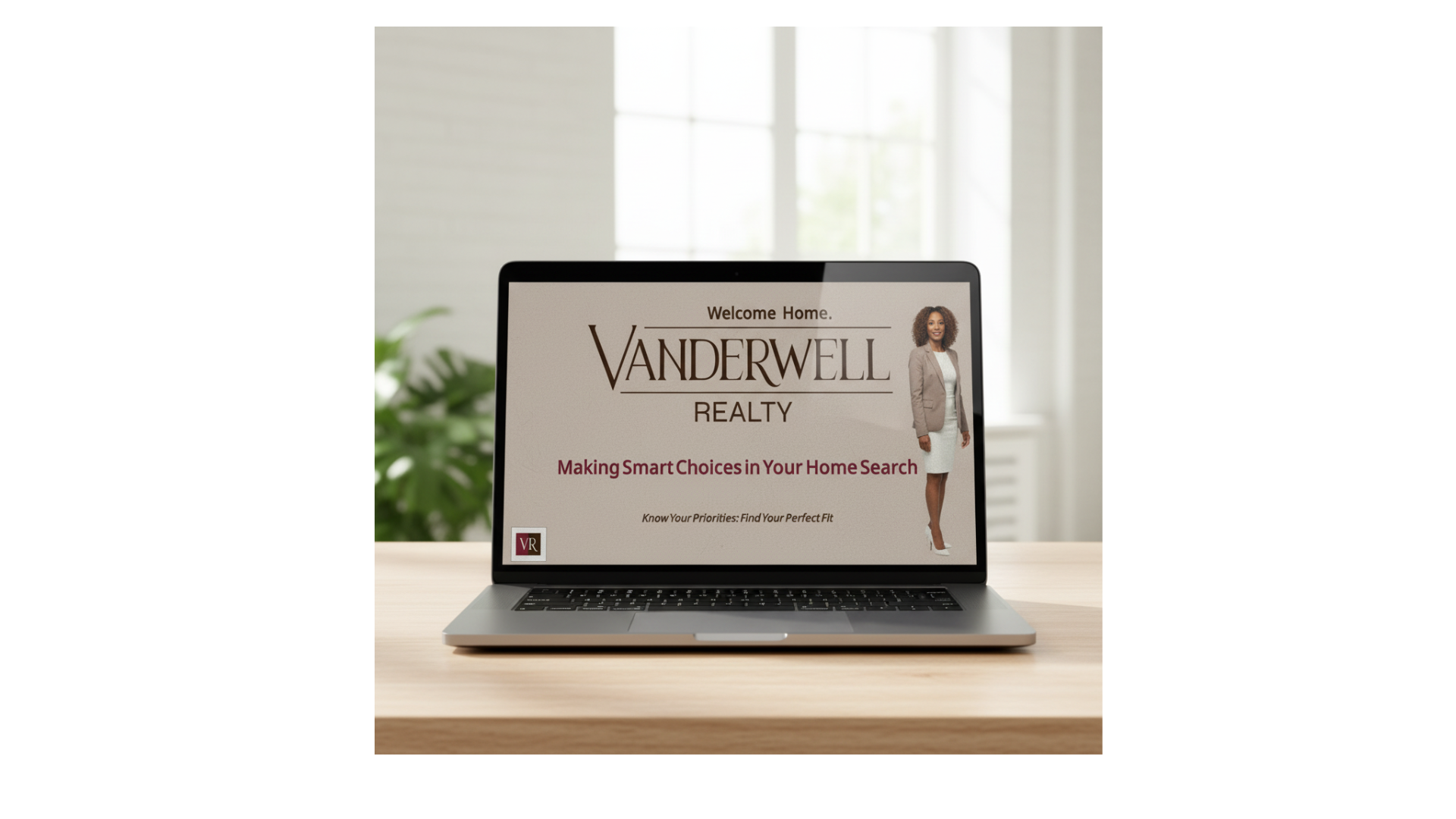
The Problem
Many first-time homebuyers struggle to distinguish between needs and wants, leading to unrealistic expectations, low decision confidence, ineffective communication with their agent, and wasted time touring homes that don’t meet key criteria.
The Solution
I designed an interactive eLearning experience that helps buyers identify, prioritize, and communicate their housing needs versus wants. Through real-world scenarios and guided practice, learners create a personalized list they can confidently share with their Vanderwell agent, resulting in a more focused and efficient home search.

The Process
Design Approach
I used a combination of ADDIE and backward design (UbD) to ensure the course stayed focused on a clear outcome: helping first-time homebuyers confidently identify and communicate their needs vs. wants.
I started by defining the performance goal, then designed aligned activities and assessments that required learners to apply, not just understand, the content.
The learning experience integrates cognitivism, constructivism, and andragogy, using categorization, reflection, and scenario-based decisions to connect learning to real-world homebuying situations.
To support adult learners, I incorporated:
Real-world scenarios (budget decisions, home comparisons)
Interactive practice with immediate feedback
Reflection tied to personal lifestyle and priorities
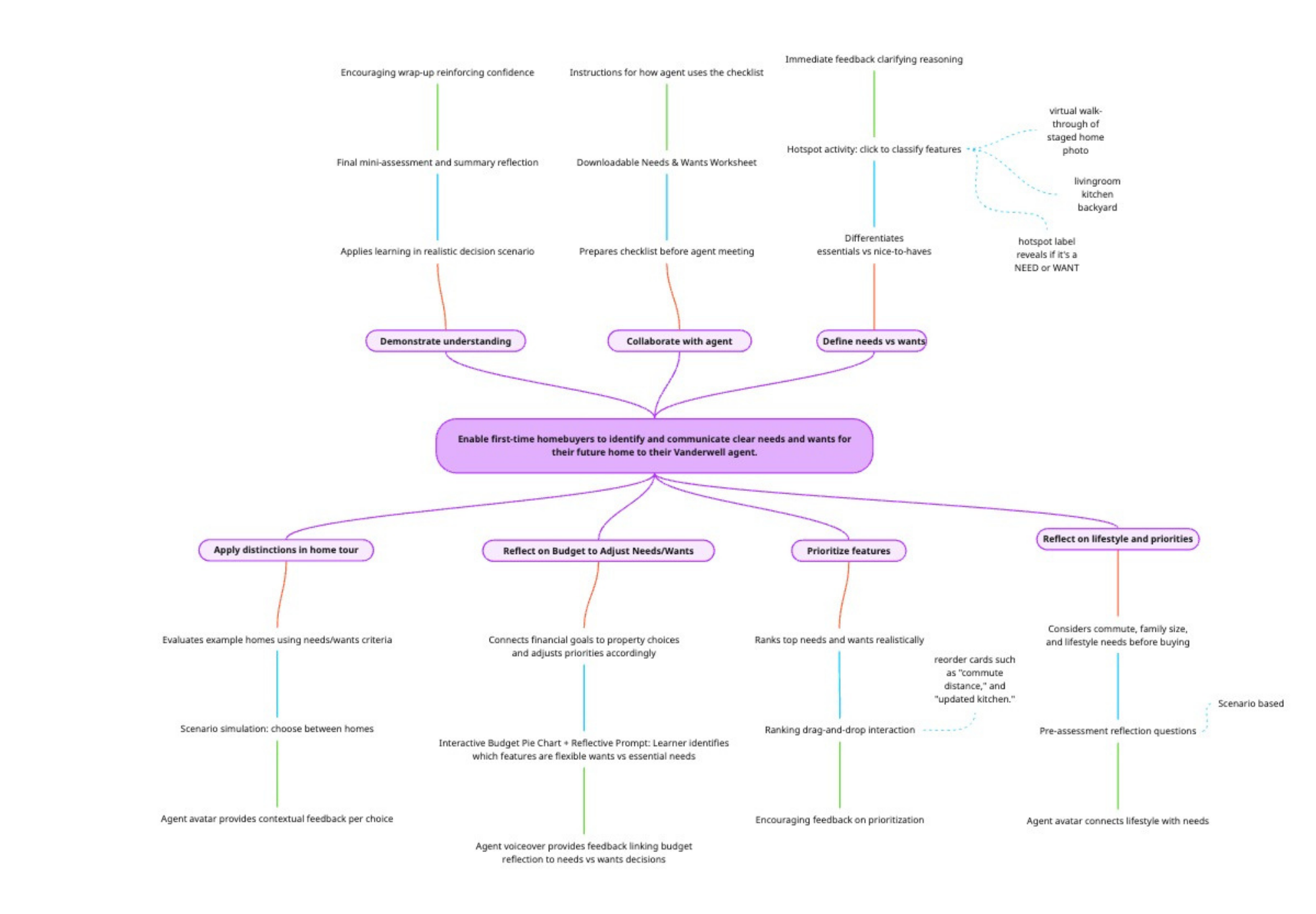
Action Mapping
To keep the course focused on behavior change, I used action mapping to connect each activity to real-world decisions buyers need to make.
Instead of content-heavy slides, learners progress through a series of targeted actions:
Identify needs vs. wants
Prioritize features
Adjust decisions based on a budget
Apply choices in a realistic home scenario
Each interaction directly supports the final goal of making confident homebuying decisions.
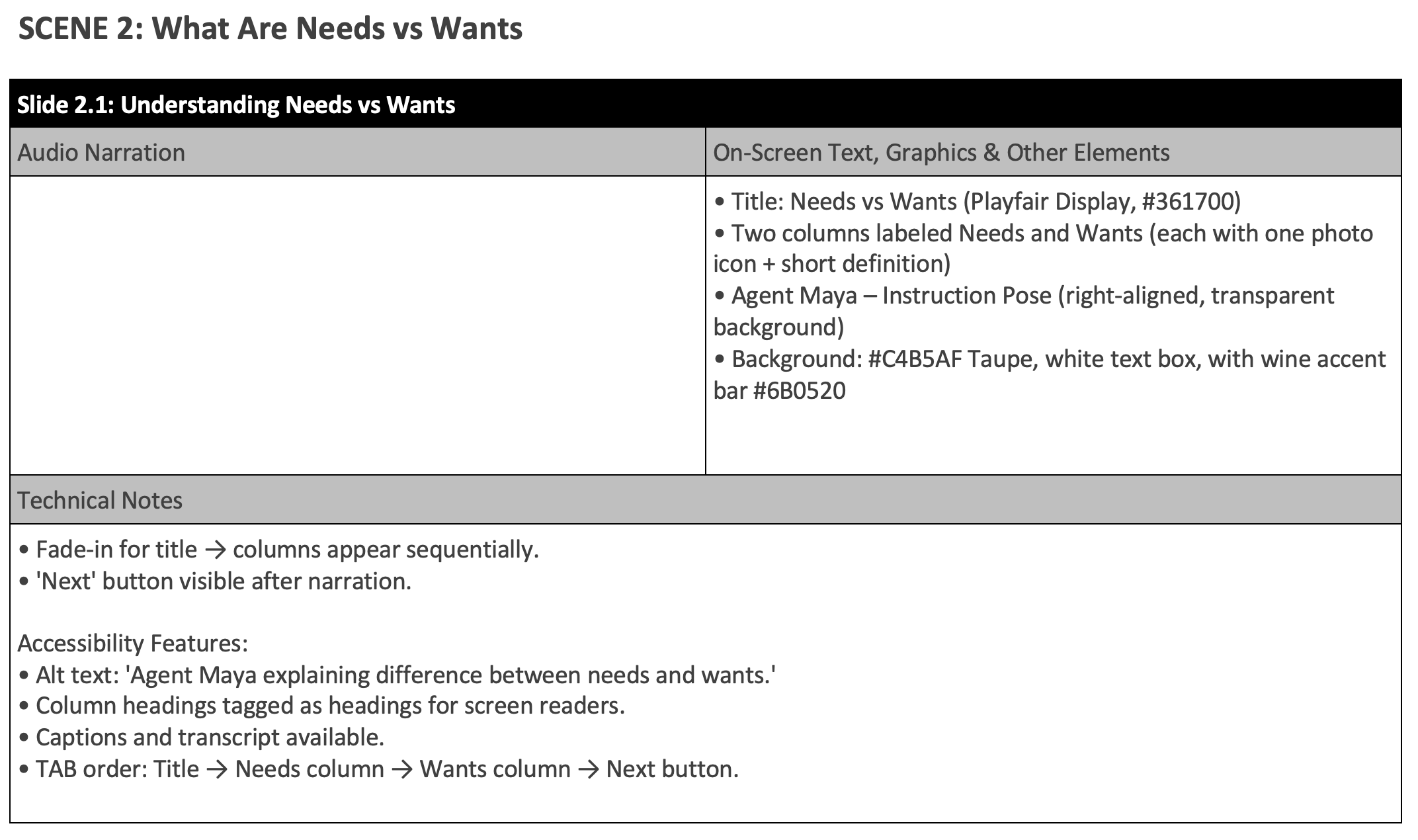
Storyboard Development
A detailed text-based storyboard guided the full course build, outlining:
On-screen text and narration
Visual layout and branding
Interactions and feedback
Technical triggers and accessibility features
Each slide was intentionally designed to balance visual clarity and cognitive load, using minimal on-screen text paired with narration.
For example, early slides introduce concepts through guided narration and simple visuals, while later slides shift into interactive applications (e.g., kitchen hotspot, ranking activity, scenario decisions). This progression supports gradual skill-building and learner confidence.
Prototype, Visual design & Style System
Before development, I created visual mockups and an interactive prototype to establish the overall look, feel, and interaction patterns of the course. This allowed me to make early design decisions around layout, spacing, and user flow before building in Storyline.
The visual design reflects Vanderwell Realty’s brand, clean, warm, and professional, while maintaining a simple, uncluttered interface. I prioritized:
Clear visual hierarchy to guide learner attention
Minimal on-screen text paired with narration
Consistent layouts across slides for ease of navigation
To ensure consistency throughout the course, I also developed a style system that guided all design decisions during development. This included standards for typography, spacing, button states, and interaction patterns.
Accessibility was intentionally built into the design by incorporating:
High-contrast layouts for readability
Keyboard-friendly interaction options
Closed captions and alt text for all key elements
Creating the visual mockups, interactive prototype, and style system upfront allowed for a more efficient build process and ensured a cohesive, accessible learning experience from start to finish.
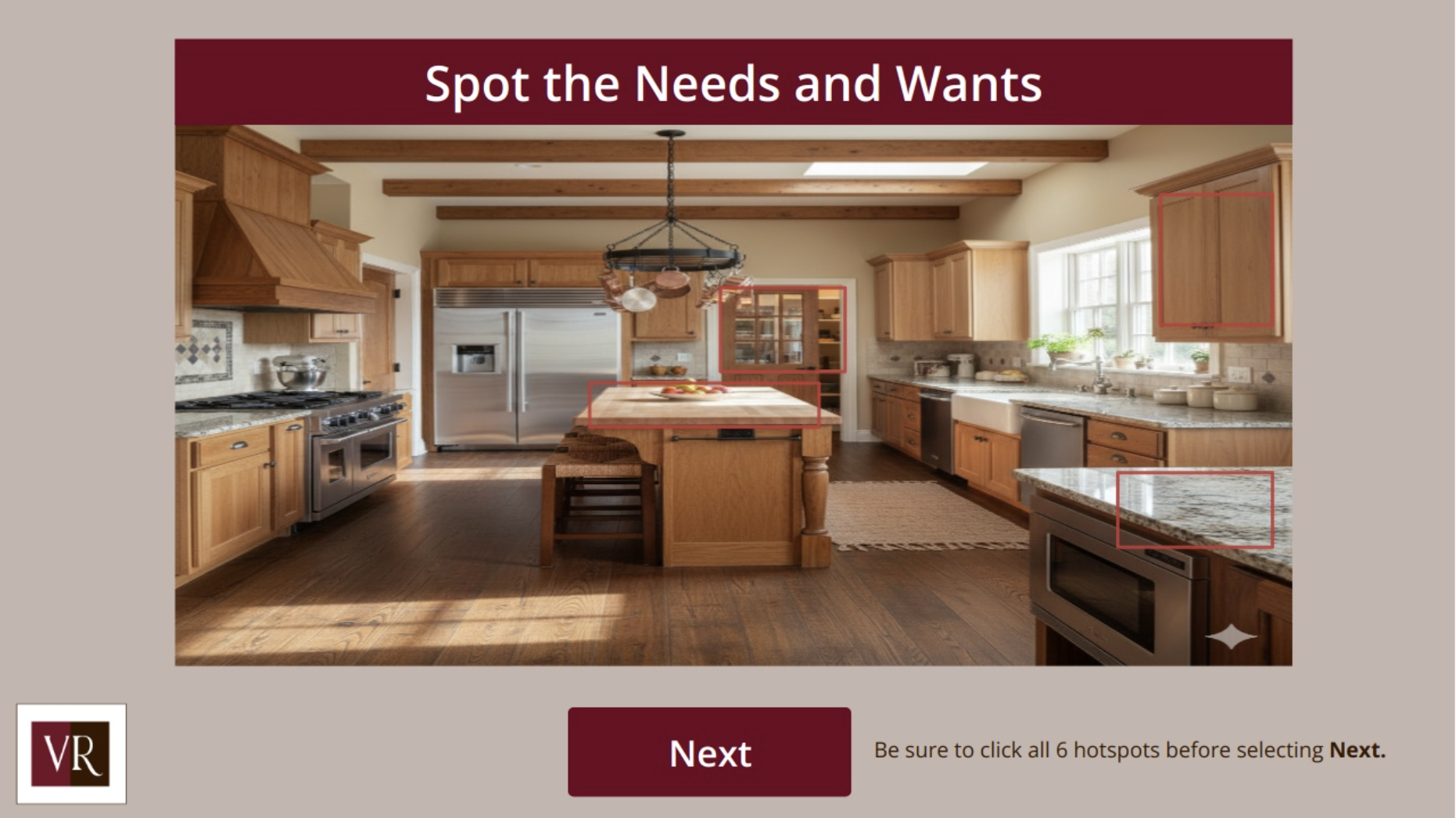
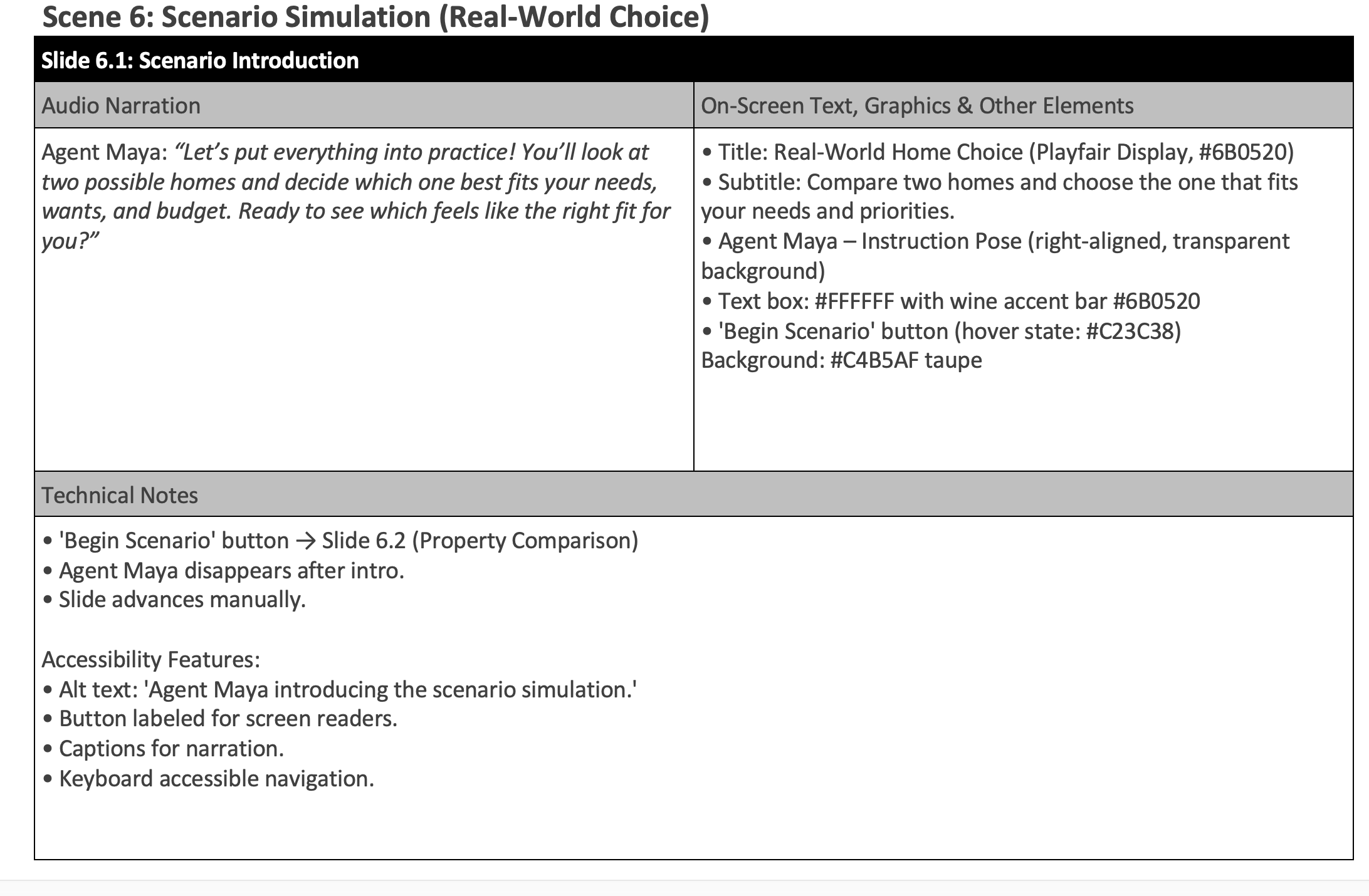

Early visual mockup establishing layout, branding, and agent placement.
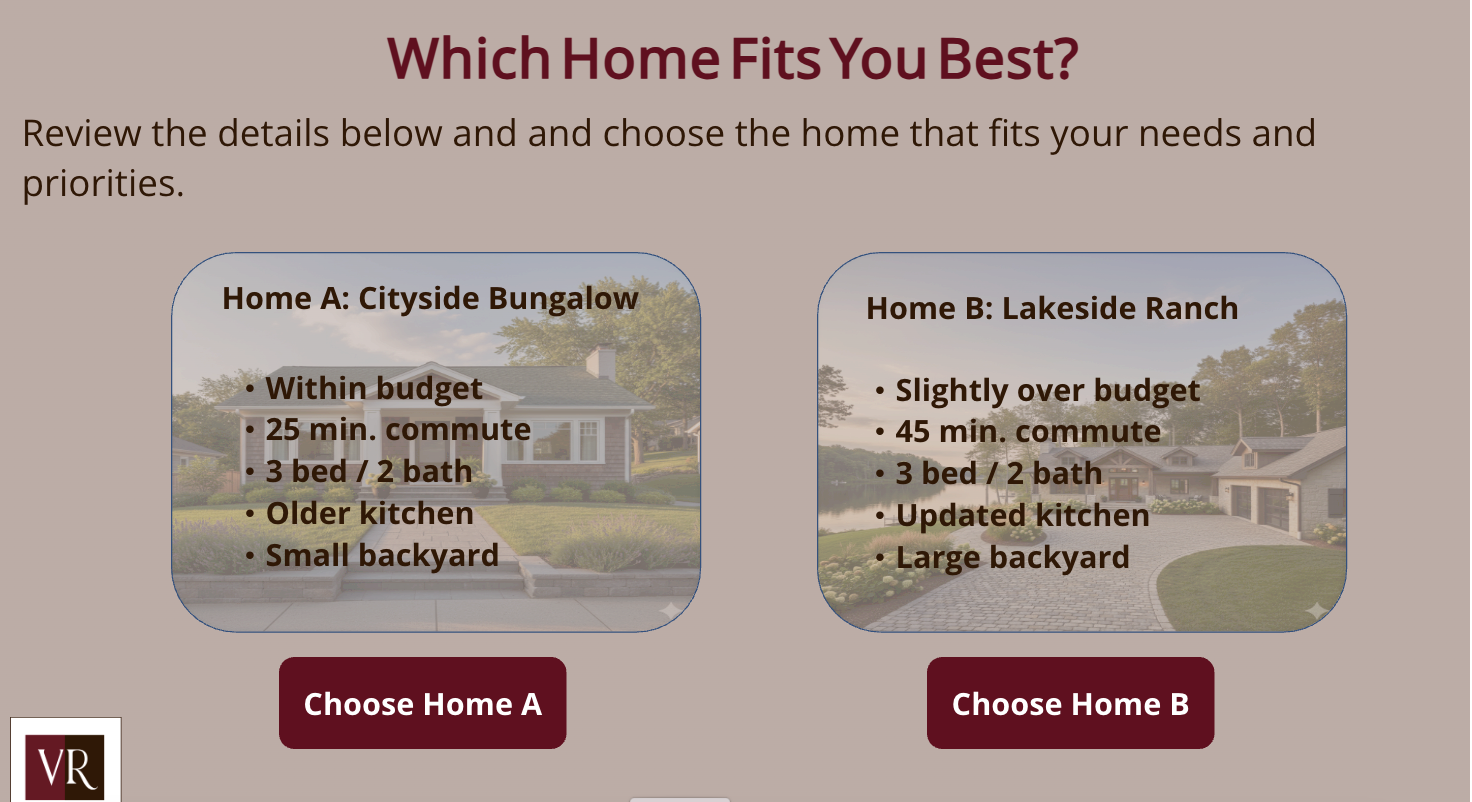
scenario-based decision simulating real homebuying choices.
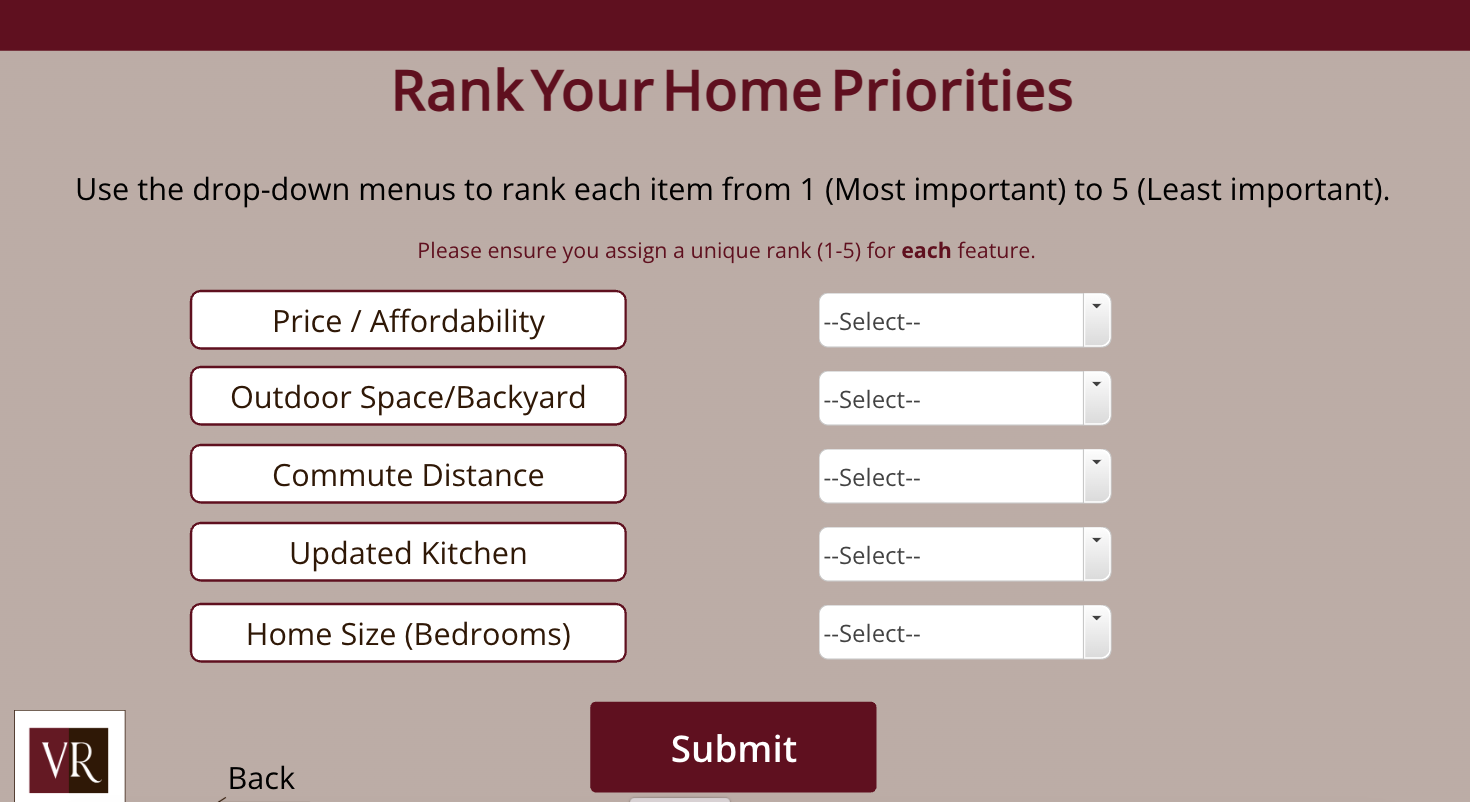
Ranking activity supporting prioritization of home features (Keyboard-friendly version).
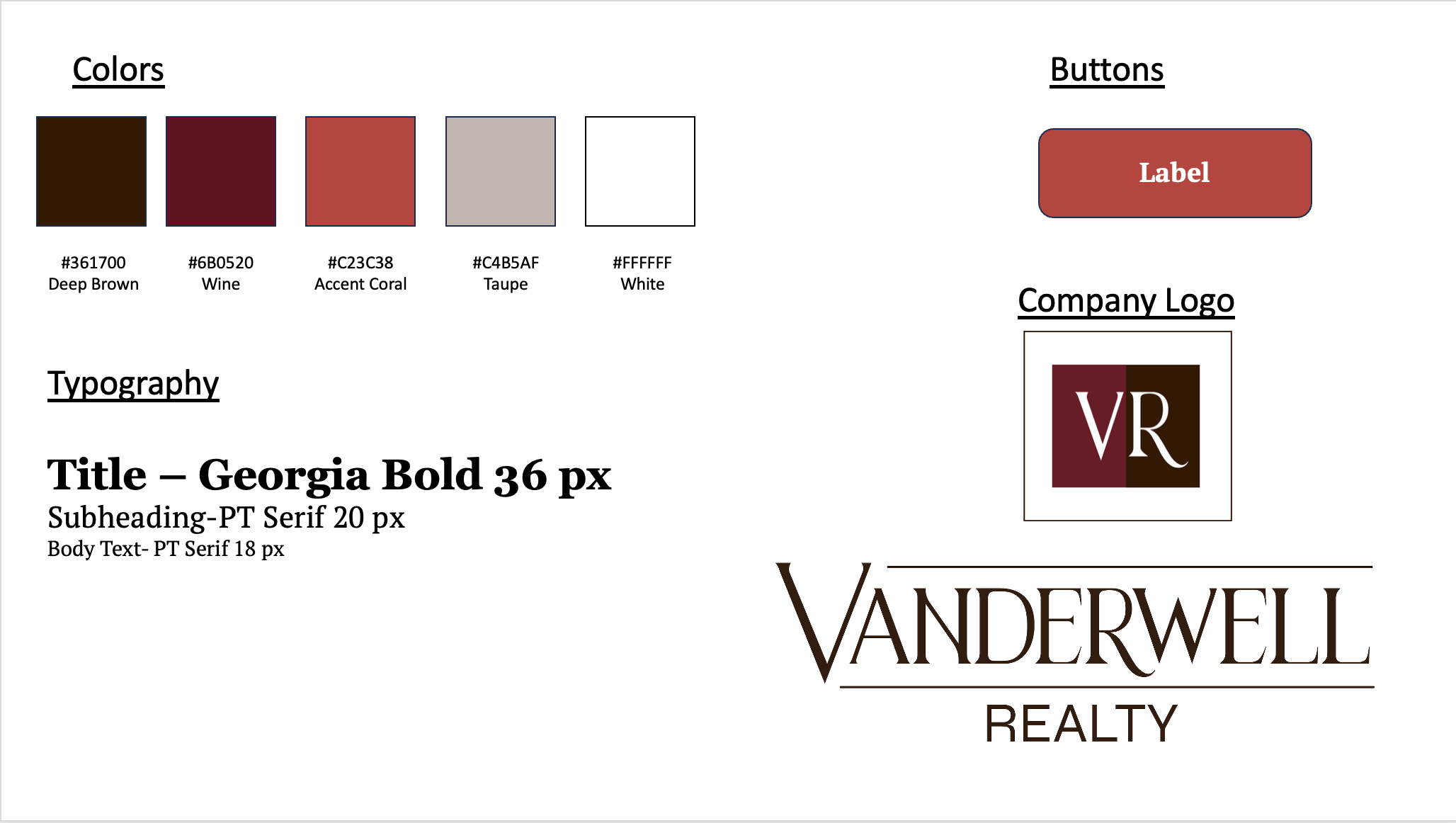
Style system used to maintain consistency across all slides and interactions.
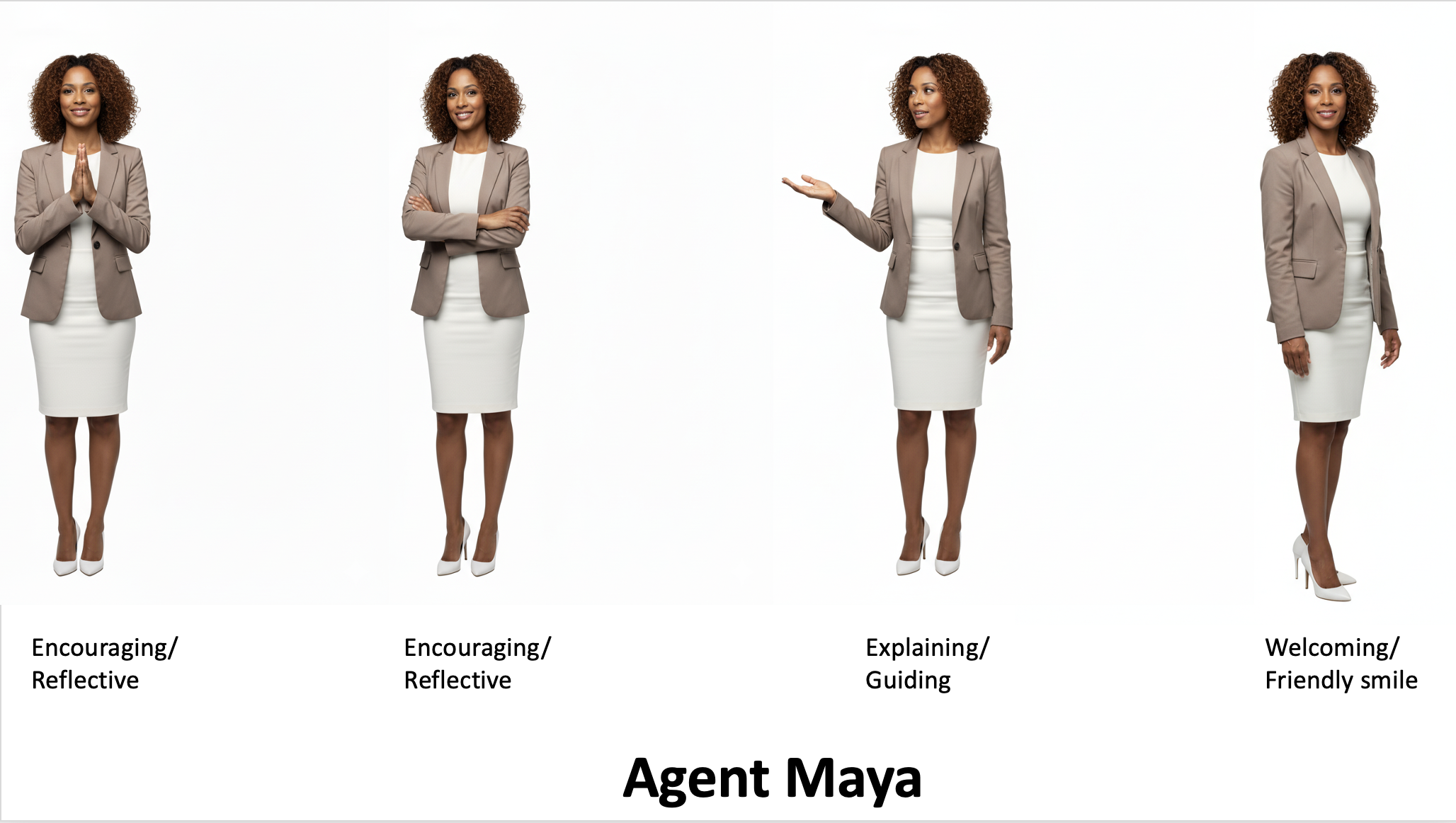
Agent Maya character set used to guide learners through instruction, feedback, and key decision-making moments.